
1
Medical ID is found
The access point may be a bracelet, tag, pendant or other supported format.
QRepublik is designed to make selected emergency information accessible through a browser-based responder view. The QR or URL is the access point; the value is the user-controlled emergency context behind it.
No dedicated QRepublik responder app is required.
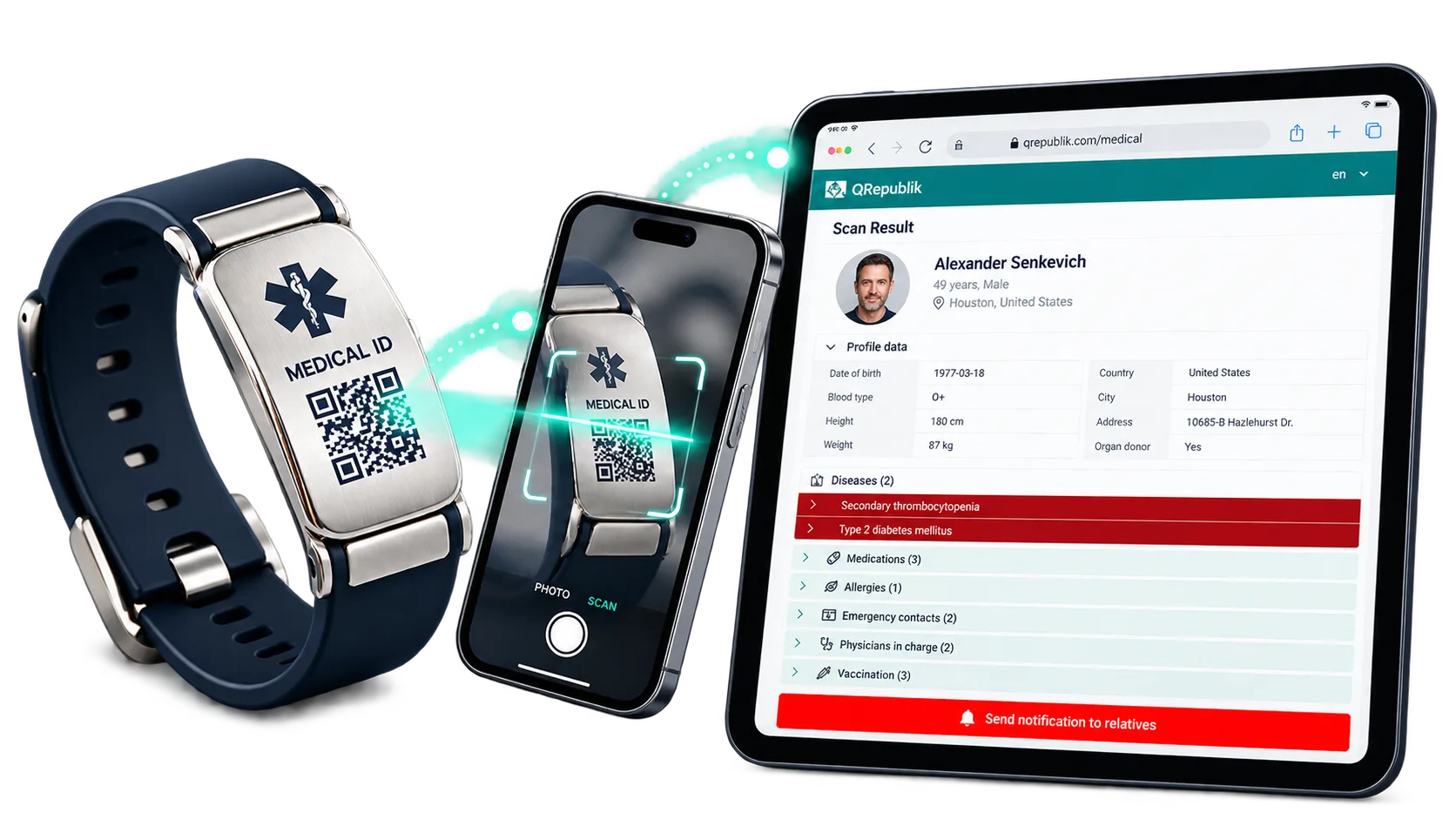
A scan can open the emergency profile in a normal browser. The view is intended for quick review of selected information, not as a complete medical record.
The access point may be a bracelet, tag, pendant or other supported format.
The Medical ID connects to a QRepublik emergency profile through a normal browser.
The responder view presents user-controlled emergency information selected for visibility.
The profile is supplemental context. It does not replace protocols, clinical records or assessment.
The emergency profile is built around selected information the profile owner chooses to make available through the Medical ID responder view.
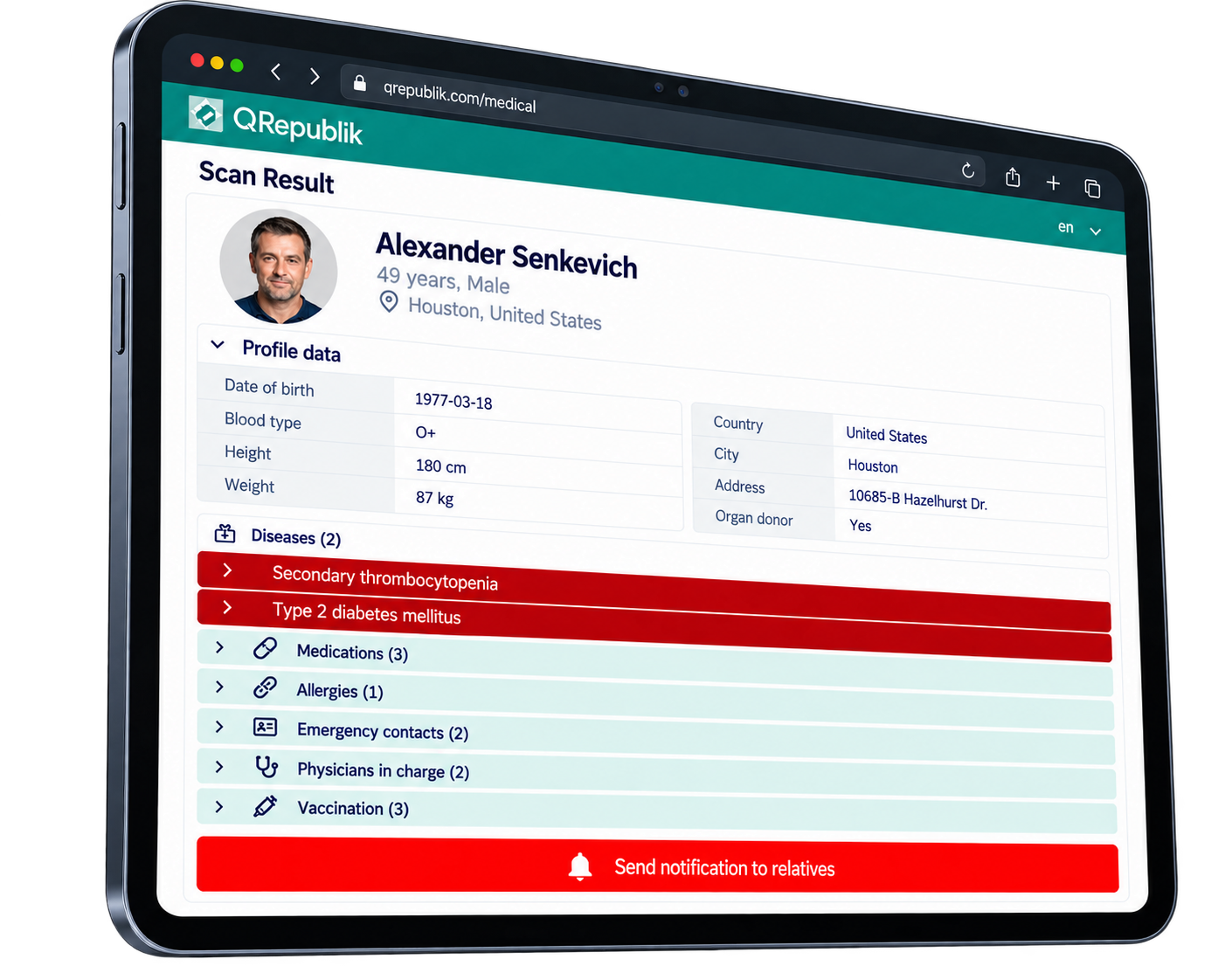
The profile exists because a person, family, caregiver or program has chosen to connect selected emergency context to a Medical ID. QRepublik does not make the whole account public.
Opens through a normal web browser. No QRepublik app installation required for the responder.
The Medical ID provides the access point. The profile is hosted by QRepublik and always reflects the current version.
Only selected emergency context is presented. The profile owner controls which fields appear on the responder view.
Responder protocols and clinical records remain primary. The QRepublik profile is additional context, not a clinical record.
QRepublik can provide useful supplemental context, but it should be interpreted within normal emergency and healthcare procedures.
Scan provides allergies, conditions, and contacts in under 10 seconds — before the patient can communicate.
The profile is live. No paper card to go out of date. Responders always see the version the profile owner last updated.
Any smartphone camera, any country, any language browser. No dispatch system integration required.
Displayed information depends on what the profile owner has added and kept current.
QRepublik does not guarantee that a Medical ID will be found or scanned.
QRepublik does not determine treatment or replace clinical judgment.
QRepublik does not replace EHR, EMS charting, dispatch or facility records.
Use this path for responder education, pilot review or ecosystem collaboration. It is secondary to the responder experience and does not imply official adoption or clinical validation.
Lead capture happens before scheduling. After submission, scheduling a conversation is optional.